Horses

 Cattle

 Sheep & Goats

 Pigs
Pigs

 Dogs & Cats

 Poultry

 Small animals

 Wild animals

 Wolves
horizont Fence tester ranger®


horizont "ranger ® Digital" fence tester
- Digital display for an exact reading of the voltage
- Delivery includes battery
- Device switches on automatically when connected to fence voltage
The horizont fence tester ranger® Digital is characterized by its digital display for an exact reading of the voltage. The device switches on automatically when fence voltage is applied. The non-slip insulation of the ground stake provides additional safety during operation.
The cable can be wrapped around the fence tester when not in use - this ensures easy handling and provides additional protection against damage.
Delivery includes battery.
- Digital display for an exact reading of the voltage
- Delivery includes battery
- Device switches on automatically when connected to fence voltage
- Grip insulation of the earth pile enables safe operation
- Cable can be wrapped around the fence tester when not in use - easy handling and additional protection against damage
Disposal instructions
Used Electrical Equipment & Disposal in Accordance with the Law
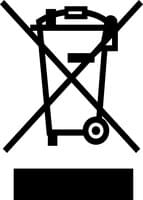
Electrical appliances contain valuable resources as well as hazardous substances. Therefore, every consumer is legally required to dispose of old electrical appliances at an authorized collection or drop-off point, such as a local recycling center. Old electrical appliances are accepted there free of charge and sent for recycling in a way that protects the environment and conserves resources.
Warning and safety instructions
Warning of electrical voltages
The appliance is not suitable for use by persons with reduced physical, sensory or mental capabilities or lack of experience and knowledge, including children.
This device is not designed to measure mains voltages (230/400 volts).
Do not use the device in the rain, as this can lead to possible leakage currents and electric shock.
Ensure that the device is disconnected from the fence before inserting a battery.
Take care to keep body parts, loose clothing or jewellery away from the fence while using the device.
Do not carry out any repairs to the device yourself. Contact the manufacturer's employees for repairs.
Detailed documents can be found in the download area of the product.